
Key Takeaways
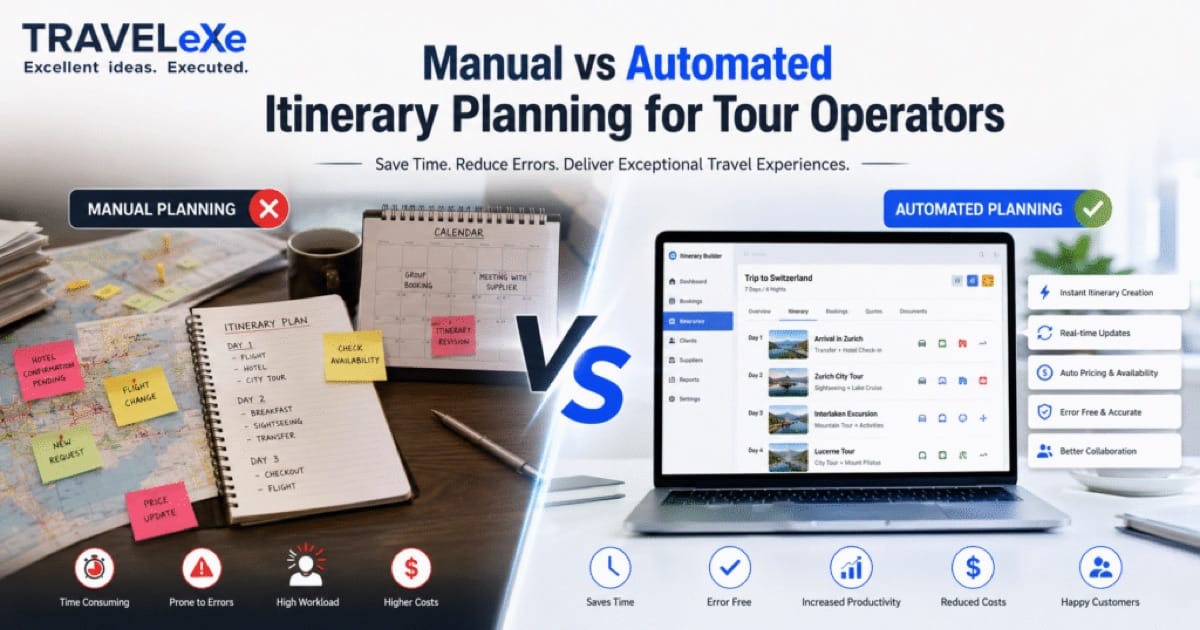
- A manual itinerary workflow (Excel → Word → PDF → email → WhatsApp) works at low volume but breaks down on speed, accuracy, and scale as bookings grow.
- An automated itinerary builder centralises the same process (product catalog, pricing engine, supplier data, approvals, and vouchers), so a proposal that took hours takes minutes.
- The decision isn't "manual or automated" as a binary. It's where you sit on the Itinerary Automation Maturity Model, a five-level scale from fully manual to fully AI-driven, and which level your business actually needs.
- ROI is measurable: automation typically recovers 15+ hours per person per week, cuts admin costs by around 30%, and speeds quoting by up to 50%.
- AI now handles drafting, pricing, and recommendations, but destination expertise, relationship judgement, and complex problem-solving still need humans. Choose software that augments your team, not one that pretends to replace it.
For most tour operators in 2026, an automated itinerary builder is the better choice. It produces branded, accurate proposals in minutes instead of hours, removes manual costing errors, and scales without adding headcount. Manual tools like Excel and Word still make sense for very low volumes or one-off custom trips, but once you're building more than a handful of itineraries a week, the time, error, and lost-conversion costs of manual work outweigh the price of software.
That's the short answer. The useful answer is more specific, because "automated" covers everything from a basic digital template to a fully AI-driven engine, and not every operator needs the top of that range. This guide walks through the real manual workflow step by step, compares it against automation at every stage, and gives you a framework to decide exactly how far up the automation ladder your business should climb.
⚡ TL;DR
Manual itinerary building is cheap to start but expensive to run at scale, where slow quotes, version confusion, and costing errors cost you bookings. Automated builders fix that with centralised data, instant pricing, and AI drafting, typically paying for themselves within months through recovered staff time and higher conversion. Use the Itinerary Automation Maturity Model below to find your right level.
📋 How We Approached This Comparison
We mapped the complete manual itinerary workflow used by tour operators, DMCs, and travel agencies, capturing every tool, handoff, and re-entry point, then compared it stage by stage against how automated platforms handle the same work. We weighted the comparison by measurable business impact (time, error rate, conversion, cost) rather than feature counts, referenced current market and AI-adoption data from recognised research firms, and built segment-specific guidance for small, growing, and enterprise operators. The goal is a practical decision framework, not a product pitch.
Watch how a full itinerary, including pricing, suppliers, and branded output, comes together in minutes on the TraveleXe platform.
Book a Free DemoWhat Is an Itinerary Builder?
An itinerary builder is the tool a tour operator uses to assemble a travel program, day by day and service by service, then turn it into a priced, presentable proposal for a client or agent. That's the job whether you do it in a spreadsheet or in dedicated software. The builder is where destinations, hotels, transfers, activities, and pricing come together into the document a customer actually says "yes" to.
In practice, an itinerary builder has to do four things well: capture the trip structure, apply accurate pricing, present it professionally, and let you revise it quickly when the client asks for changes. Manual tools handle the first and third acceptably and struggle badly with the second and fourth. That gap, pricing accuracy and revision speed, is where most of the business case for automation lives.
The itinerary is not just an operational document. It's the sales asset, the single thing a prospective traveller compares against your competitors. Operators often underestimate this: they treat itinerary creation as back-office admin when it's actually the front line of conversion. The speed and polish of that document frequently decides the booking before price is even discussed.
How Tour Operators Build Itineraries Manually
To compare fairly, you have to see the manual process honestly, not as one task but as a chain of disconnected tools, each with its own handoff. Here's the workflow most operators still run today.
The Manual Itinerary Workflow
Every arrow in that diagram is a manual handoff where data gets re-entered and something can go wrong. Let's break down each tool.
Excel
The costing engine of the manual world. Operators keep rates, markups, and margins in spreadsheets, and it works until a formula breaks, a rate is out of date, or someone copies the wrong row. Business impact: a single stale rate or broken formula can wipe out the margin on a trip without anyone noticing until reconciliation.
Word
Where the itinerary text and structure live. Each new trip usually starts from an old Word file that gets edited down. Business impact: heavy copy-paste, inconsistent formatting, and no link between the document and the actual prices in Excel, so a change in one rarely updates the other.
PDFs
The final client-facing format, exported by hand from Word. Business impact: looks fine once, but every revision means re-exporting, re-naming, and re-sending, and it's easy to send version 2 when version 4 was current.
The unofficial supplier-coordination channel. Fast, but with no record attached to the booking. Business impact: confirmations get buried in chat history, and when a dispute arises, there's no clean audit trail of who agreed to what.
Formal supplier requests and client correspondence. Business impact: critical booking information ends up scattered across inboxes, invisible to the rest of the team, and lost entirely when a staff member leaves.
Rate Sheets
Supplier contracts and net rates, usually as separate PDFs or spreadsheets. Business impact: keeping dozens of rate sheets current is a job in itself, and quoting from an expired sheet is one of the most common and most invisible sources of lost margin.
What Is an Automated Itinerary Builder?
An automated itinerary builder replaces that chain of disconnected tools with one system where the data lives once and every function reads from it. You build the trip visually, pricing applies itself, suppliers are already loaded, and the branded output generates on demand. Dedicated platforms such as VoyageOS bring itinerary creation, supplier management, automated pricing, CRM, and branded proposal generation into a single workflow, helping tour operators produce professional itineraries far faster. Here's what sits inside a modern platform.
CRM
Client and agent records, inquiry history, and follow-ups in one place, so the itinerary is built with full context and no lead slips through the cracks. This is the travel CRM backbone that connects sales to operations.
Templates
Reusable, on-brand itinerary structures. Instead of editing an old Word file, you start from a template that already carries your styling, terms, and standard inclusions.
Product Catalog
A central library of destinations, hotels, activities, and transfers with descriptions and images ready to drop into any trip, with no re-writing the same hotel blurb for the hundredth time.
Pricing Engine
Rates, markups, taxes, and currency applied automatically from loaded contracts. Change a component and the total re-prices instantly, which is the single biggest fix for manual costing errors.
Supplier Database
Contracts, net rates, allocations, and validity dates stored centrally, so quotes always use current rates and service orders dispatch from the same record. For operators consolidating stock, this connects to a full inventory management system.
AI Suggestions
The system proposes services, routing, and upsells based on the trip type and past bookings, turning a blank page into a working first draft in seconds.
Approval Workflow
Built-in review and sign-off before a quote goes out, so pricing and content are checked without a chain of "can you approve this?" emails.
Voucher Generation
On confirmation, vouchers and supplier service orders generate automatically from the booking record, with no manual document creation per service.
The Itinerary Automation Maturity Model
"Manual vs automated" is really a spectrum, not a switch. We use a five-level framework, the Itinerary Automation Maturity Model, to help operators locate where they are today and decide where they realistically need to be. Most tour operators sit at Level 1 or 2. The commercial sweet spot for a growing business is usually Level 4, with Level 5 becoming the competitive baseline by 2030.
Spreadsheets & Documents
Excel costing, Word itineraries, PDF exports, email and WhatsApp coordination. No central system. Cheap to start, hard to scale.
Templates & Shared Drives
Reusable templates and a shared rate library bring consistency, but assembly and pricing are still done by hand. Less chaos, same manual effort.
Dedicated Itinerary Builder
Drag-and-drop builder, product catalog, and branded output in one tool. Creation speeds up sharply; pricing and suppliers may still be partly manual.
Integrated Operations
CRM, pricing engine, supplier database, and APIs work as one. Quotes, approvals, and vouchers are automated end to end. The commercial sweet spot for most operators.
AI-Driven & Predictive
AI drafts itineraries, prices dynamically, forecasts demand, and personalises at scale. The team supervises and refines rather than builds from scratch.
Throughout the rest of this guide, we'll refer back to these levels, because the right answer to "manual or automated?" depends entirely on which level fits your volume, complexity, and growth plans.
Manual vs Automated: Full Comparison
Here's the head-to-head across the eight dimensions that matter most to a tour operator's P&L and client experience.
| Dimension | Manual (Level 1–2) | Automated (Level 3–5) |
|---|---|---|
| Speed | Hours per proposal; revisions slow | Minutes per proposal; instant revisions |
| Accuracy | Formula & copy-paste errors common | Auto-pricing removes calculation errors |
| Collaboration | Files emailed around; version confusion | One shared record, real-time |
| Errors | High: manual re-entry at every step | Low: data entered once |
| Cost | Low software cost, high labour cost | Software cost, sharply lower labour cost |
| Scalability | Needs more staff to grow | Scales volume without proportional headcount |
| Customer Experience | Slower replies, inconsistent documents | Fast, branded, professional proposals |
| Reporting | Manual, delayed, often inaccurate | Real-time dashboards on demand |
Speed
The manual process measures proposal time in hours; automation measures it in minutes. Why it matters: when an agent contacts three operators, the one who replies first with a polished quote usually wins. Response speed is one of the most direct competitive advantages automation delivers.
Accuracy
Auto-pricing from loaded contracts removes the manual maths that quietly erodes margin. Why it matters: a single mis-keyed exchange rate or expired supplier rate can turn a profitable trip into a loss-maker.
Collaboration & Reporting
When sales, operations, and finance share one live record, handovers stop failing and reporting stops being a monthly Excel chore. Why it matters: decisions get made on current data, and no booking detail is trapped in one person's inbox.
Scalability, Cost, Customer Experience & Branding
Automation lets you grow booking volume without growing your team at the same rate, while delivering faster, more professional, consistently branded documents. Why it matters: it converts growth from a staffing problem into a systems advantage.
See how TraveleXe automates your entire itinerary workflow, from costing and suppliers to approvals and branded output, in one connected system.
Explore Tour Operator SoftwareHow Automation Changes Every Stage of the Travel Booking Process
You already know the manual process hurts. The useful question is where it hurts, and by how much. So instead of a generic "automation saves time" claim, walk the booking process one stage at a time and watch each bottleneck you live with every day disappear.
| Booking Stage | The Manual Pain | What Automation Changes |
|---|---|---|
| Inquiry & Lead | Lost in inboxes, inconsistent follow-up | Captured in CRM, assigned, and tracked |
| Itinerary Creation | Copy-paste from an old Word file | Drag-and-drop from a product catalog |
| Pricing & Quoting | Manual Excel maths on stale rates | Auto-priced from live contracts |
| Proposal & Revisions | Re-export PDFs, version confusion | Instant re-price, one live version |
| Supplier Confirmation | Scattered across email and WhatsApp | Service orders from one record |
| Booking & Vouchers | Documents built by hand per service | Auto-generated on confirmation |
| Reporting | Monthly Excel, outdated on arrival | Real-time dashboards on demand |
Every row is a point where manual work quietly leaks time, money, or accuracy, and where automation closes the gap. Stack those gains across a month and the numbers get hard to ignore.
The market data points the same direction. Analysts including MarketsandMarkets, Fortune Business Insights, and IMARC Group track the tour operator software market growing from roughly $0.8B in 2025 to about $1.33B by 2030, while the broader travel management software market is projected to rise from around $11.38B in 2026 to $16.08B by 2030. Operators aren't adopting software because it's fashionable. They're adopting it because the manual alternative can't keep pace.
As an illustrative published example, travel-software vendor Lemax has reported customer outcomes including a 35% revenue increase, itinerary creation up to 3× faster, 40% fewer errors, and quotes produced up to 50% faster after moving from manual processes. Treat any single vendor's figures as indicative rather than guaranteed, though the direction and scale are consistent across the industry.
Quick ROI math: If automation saves one operations person 15 hours a week, that's roughly 60 hours a month redirected from admin to selling. Across a small team of three, that's 180 hours monthly, the equivalent of adding a part-time salesperson without hiring one. Weigh that against the monthly software cost and the payback is usually obvious.
At TraveleXe, we've worked with travel businesses modernising their itinerary operations, and one consistent pattern stands out: when operators calculate ROI, they count only the time saved. The larger number is usually the revenue won. Faster, better-looking proposals convert at a higher rate, and quoting first wins bookings that would otherwise go to a competitor. The conversion lift is frequently a bigger line item than the labour saving, but because it's harder to see, it's the one buyers most often leave out of the business case.
Common Challenges with Manual Itinerary Planning
If your business is still at Level 1 or 2 of the maturity model, these frustrations will look familiar. They're not signs of a bad team. They're the built-in limits of disconnected tools.
- Copy-paste overload: the same hotel descriptions and terms re-typed on every trip.
- Excel dependency: costing that lives or dies on fragile formulas one person understands.
- Version confusion: sending the wrong PDF, or a client working from an outdated quote.
- Supplier follow-up chaos: confirmations scattered across email and WhatsApp with no audit trail.
- Rate-sheet drift: quoting from an expired supplier rate and losing the margin.
- Slow proposals: losing the booking to whoever replied faster.
- No reporting: no reliable view of conversion, margin, or team productivity.
- Hard to scale: every increase in volume requires another pair of hands.
Any one of these is manageable. Together, they define a ceiling on how much a manual operation can grow before quality slips or costs balloon. Automation is essentially the process of removing that ceiling.
AI in Itinerary Building
AI is what moves an operator from Level 4 to Level 5 of the maturity model. It's also the most over-hyped part of the category, so it's worth separating what AI genuinely does today from what's still marketing. Industry research sets the context: McKinsey reports that around 78% of organisations now use AI in at least one business function, and Skift and Deloitte have noted that the large majority of major travel companies have launched generative-AI initiatives.
AI Recommendations
The system suggests services, routing, and upsells based on trip type, client preferences, and past bookings, turning a blank itinerary into a working draft in seconds. This is where an integrated AI travel automation layer earns its keep.
Dynamic Pricing
Rates adjust automatically to demand, seasonality, and lead time using predictive models, keeping inventory commercially optimised instead of frozen in a static rate sheet.
Predictive Analytics
Demand forecasting by route and season helps you buy allocation more intelligently and avoid both overbooking and missed revenue.
Smart Templates
Templates that adapt to the trip context, pulling the right inclusions, language, and pricing rules automatically rather than forcing a one-size-fits-all structure.
Future Trends
Expect AI to move from assisting individual tasks to orchestrating whole workflows: drafting, pricing, and supplier matching in one pass, with the human team supervising and refining.
AI Reality Check
| What AI Can Automate Today | What Still Needs Humans | Standard by 2030 |
|---|---|---|
| First-draft itineraries | Deep destination expertise | AI drafting as the default starting point |
| Dynamic pricing & markups | Complex negotiation with suppliers | Real-time pricing across all inventory |
| Service & upsell suggestions | Nuanced client relationship judgement | Personalised recommendations at scale |
| Demand forecasting | Handling exceptions & on-ground crises | Predictive allocation buying |
| Routine agent queries | High-value consultative selling | AI copilots embedded in every workflow |
The right mental model for AI in itinerary building is "copilot, not autopilot." AI is excellent at the first 80% (the draft, the pricing, the routine reply) and weak at the last 20%, which is exactly the destination knowledge, judgement, and relationship work that clients pay a premium for. Operators who use AI to clear the 80% and reinvest that time into the 20% are the ones pulling ahead. Those waiting for AI to do everything are waiting for the wrong thing.
Explore how TraveleXe's AI travel suite drafts, prices, and personalises itineraries, with your team firmly in control.
Discover AI-Powered Itinerary BuildingWho Should Upgrade?
Not every operator needs Level 5 tomorrow. The right move depends on your size, volume, and growth plans. Here's how the maturity model maps to real business profiles.
| Business Profile | Typical Today | Target Level | Priority |
|---|---|---|---|
| Small Agency (<30 trips/mo) |
Level 1–2 (Excel/Word) | Level 3 (Digital) | Branded builder, product catalog, faster proposals |
| Growing Operator / DMC (30–200 trips/mo) |
Level 2–3 | Level 4 (Connected) | Pricing engine, supplier database, CRM, approvals |
| Enterprise DMC (200+ trips/mo, multi-market) |
Level 3–4 | Level 5 (Intelligent) | AI drafting, dynamic pricing, APIs, predictive analytics |
Small agencies get their biggest win simply by reaching Level 3, a proper digital builder that ends the Word-and-PDF grind and makes proposals look professional. Growing operators hit a wall on pricing and supplier coordination, so Level 4's connected operations is the target. Enterprise DMCs already have systems and compete on speed and personalisation, which is where Level 5's AI capabilities become decisive rather than optional.
How to Choose the Right Itinerary Software
Once you know your target maturity level, selection becomes a structured decision rather than a reaction to whichever demo looked slickest. Start with the buy-or-not question, then compare on the criteria that predict long-term fit.
Should You Buy Itinerary Software?
Essential vs Advanced Features
| Essential (Must-Have) | Advanced (Growth & Edge) |
|---|---|
| Drag-and-drop itinerary builder | AI itinerary drafting & recommendations |
| Product catalog & templates | Dynamic pricing engine |
| Automated pricing & markups | Predictive analytics & forecasting |
| Branded PDF / digital output | GDS & third-party API integrations |
| Supplier & rate management | B2B agent portal & white-label |
| CRM & multi-currency | Mobile apps & offline access |
Platform Comparison
Several established platforms serve this space, including Lemax, Travelopro, Travelomatix, Technoheaven, and TraveleXe, alongside tools like Tourplan, Travefy, TravelJoy, Sembark, and mTrip. The table below is a general orientation; capabilities change and vary by plan, so verify current features directly with each vendor during a demo.
| Capability | Lemax | Travelopro | Travelomatix | Technoheaven | TraveleXe |
|---|---|---|---|---|---|
| Itinerary automation | ✔ | ✔ | ✔ | ✔ | ✔ |
| Integrated pricing engine | ✔ | ⚬ | ⚬ | ✔ | ✔ |
| B2B agent portal | ✔ | ✔ | ✔ | ✔ | ✔ |
| API / GDS integration | ✔ | ✔ | ✔ | ⚬ | ✔ |
| AI-assisted itineraries | ⚬ | ⚬ | ⚬ | ⚬ | ✔ |
✔ generally available · ⚬ varies by plan / partial. Confirm current capabilities with each vendor.
For a deeper platform-by-platform breakdown, see our guide to the best DMC software for tour operators, and if you're still defining the category, start with what is DMC software and the core DMC software features to look for.
Migration Roadmap: From Manual to Automated
- Data migration: clean and de-duplicate suppliers, rates, and templates before importing.
- Team training: train by role (sales, operations, finance) on the workflows they'll actually use.
- Implementation: configure pricing, currencies, branding, and permissions to match how you work.
- Change management: run new and old processes in parallel briefly, name an internal champion, and switch fully once stable.
Common Mistakes When Moving from Excel to Automation
The move from spreadsheets to software fails on execution far more often than on the tool itself. Most stalled rollouts trace back to the same handful of mistakes, and every one of them is avoidable.
Migrating messy data as-is.
✔ Do this insteadClean and de-duplicate suppliers, rates, and templates before import. Loading years of spreadsheet chaos into new software just gives you faster chaos.
Trying to switch on every feature on day one.
✔ Do this insteadSequence by maturity level. Get itinerary creation and pricing stable first, then layer in APIs, the B2B portal, and AI. Big-bang rollouts overwhelm teams and push them back to Excel.
Choosing on demo polish instead of workflow fit.
✔ Do this insteadRun your most complex real itinerary through the software live. Clean sample data hides exactly the gaps that will frustrate your team three months in.
No internal champion and no real training.
✔ Do this insteadName one owner to drive adoption and train by role. The best platform delivers nothing if the team quietly keeps working the old way in parallel.
The pattern behind all four: operators treat automation as a software purchase when it's really a process change. The tool is maybe 40% of the outcome; data readiness, sequencing, and adoption are the other 60%. Budget your attention accordingly.
Future of Itinerary Builders (2026–2030)
Three shifts will define the next few years, and each maps to the top of the maturity model.
AI becomes the starting point, not the add-on. By 2030, drafting an itinerary from a blank page will feel as dated as hand-writing invoices. AI will generate the first version and humans will refine it, reversing today's default. This is the Level 5 baseline arriving as standard.
Real-time everything. Static rate sheets give way to live pricing and availability pulled through APIs from suppliers, GDS platforms like Amadeus, Sabre, and Galileo, and bed-banks. The gap between operators who can quote live inventory and those who can't will widen into a decisive advantage.
Personalisation at scale. Predictive analytics and machine learning will let even mid-size operators tailor every itinerary to the traveller, something only luxury specialists could afford to do manually. The B2B booking systems and booking engines feeding these builders will increasingly share one intelligent core.
The operators who will struggle in 2030 aren't the ones without AI today. They're the ones still at Level 1 or 2 when their competitors reach Level 4. The jump from manual to connected operations is the hard one; adding AI on top of a connected platform is comparatively easy. So the strategic priority for most operators right now isn't "get AI." It's "get connected," because that's the foundation everything else is built on.
Frequently Asked Questions
What is an itinerary builder?
How is an automated itinerary builder different from Excel?
Is itinerary software suitable for small tour operators?
How much time does automation save?
Can AI create complete travel itineraries?
Does itinerary software integrate with CRM and GDS?
How does automated pricing work?
What features should tour operators prioritise in 2026?
How difficult is it to migrate from manual workflows?
How do I calculate the ROI of itinerary software?
Can ChatGPT create travel itineraries?
Is Excel enough for tour operators?
Can AI replace travel consultants?
Do I still need itinerary software if I already use AI tools?
What to Look for When Evaluating Modern Itinerary Builder Software
By the time you're comparing platforms, the feature lists start to blur together, and everyone claims everything. A few qualities separate a genuinely modern builder from an older tool with a fresh coat of paint, and these are the ones worth weighting most heavily.
- Connected, not just digital. A pretty builder that still needs manual pricing and separate supplier files is only Level 3. Look for one system where the CRM, pricing engine, and supplier database share a single record (Level 4).
- AI built in, not bolted on. AI that reads your live rates and booking history is useful; a generic chatbot pinned to the interface is not. Ask what data the AI draws on and where its output lands in your workflow.
- Open by design. Documented APIs, clean data export, and no lock-in. You should own your data and be able to leave with it.
- Scales with you. The platform should fit your current maturity level and carry you to the next one without a rip-and-replace in two years.
- Real support and migration. A named migration owner and role-based training matter more to your ROI than any single feature.
This is where a platform like VoyageOS fits the picture. It brings the itinerary builder, pricing engine, supplier database, travel CRM, inventory, and B2B distribution into one connected system at Level 4, with an AI layer that drafts and prices itineraries rather than sitting beside the workflow as a separate add-on at Level 5. That combination lets it meet a growing operator where they are today and scale as their volume and complexity grow.
Whichever platforms you shortlist, the decisive test is the same: run your most complex real itinerary through each one in a live demo. That single exercise tells you more about workflow fit, and whether the numbers work for your business, than any feature comparison on paper.
Schedule a personalised demo and put your most complex itinerary through TraveleXe, from costing to branded output, end to end.
Schedule a Personalized Demo